PRIVACY
What PWA Lock protects, and what it does not
The trust page for PWA Lock: which situations the lock covers, what passes through our servers, what stays on your phone, and how to check it before you pay.
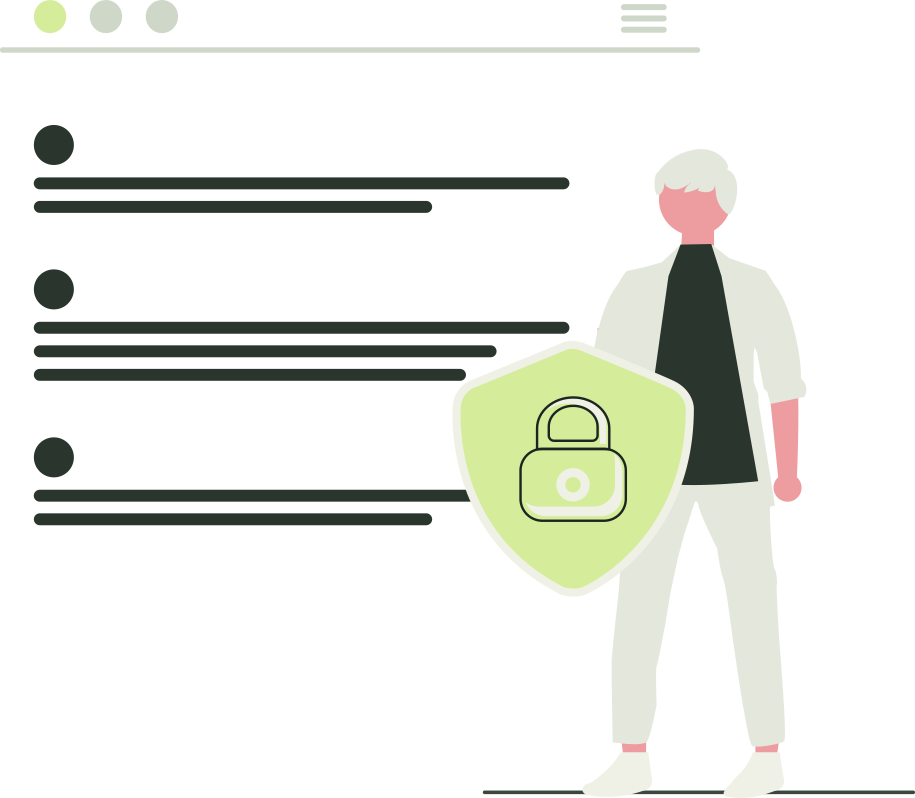
PWA Lock protects one thing: entry through the locked address on your home screen. Tapping the icon shows a cover app or a password field, and nothing loads until the lock password is entered. PWA Lock does not change the original website, which stays reachable at its own address for anyone with its login. It does not encrypt anything, back anything up, or hide anything from someone who has your unlocked phone and knows your passwords. This is the trust page, written by the people who build PWA Lock: each situation, what passes through our servers, what stays on your phone, and how to check before you pay.
Which situations does the lock cover?
"Protected" means the lock password stands between that person and your app at the locked address, and nothing more. iPhone app locks, private browsing and PWA Lock compared compares these answers with Apple's own tools, which sometimes win.
| Situation | Protected? | Why |
|---|---|---|
| Someone glances at your home screen | Mostly | The icon is the cover's and the name is the one you gave the app, so choose one that fits the cover. |
| Someone picks up your unlocked phone and taps the icon | Yes | They see the cover or the password field, because the app relocked when you switched away. If you left it open on screen, they are already inside. |
| Someone knows your lock password | No | It is the gate. Repeated wrong guesses are refused for a while, which slows guessing but does not stop someone who knows it. |
| Someone knows the original website's address and login | No | PWA Lock adds a gate at the locked address only; the original site is unchanged and opens in any browser. |
| Someone has your PWA Lock account password | Partly | They can open the dashboard, see your apps' names and the domains behind them, add apps and reach each lock page. Lock passwords are separate and shown nowhere. |
| A lost phone | Partly | The lock password is still required, and Log out of all apps on the dashboard makes the phone ask for your account password too. Vault files and cover state stay on the phone, guarded only by its passcode. |
| A compromised or shared device | No | Whatever can see your screen or keyboard sees the lock password and the app. Vault files belong to whoever can use that browser. |
| The website's own operator | No, by design | It still receives your login, your activity and its own cookies, from our servers rather than your phone; its own policies apply. |
| PWA Lock's operator | No; you are trusting us | Everything after unlock passes through our servers. Passwords are stored as salted hashes, but you rely on our code and hosting behaving as described below. |
What passes through PWA Lock's servers?
After you unlock, your browser keeps talking to the locked address while PWA Lock's servers fetch each page from the original site and return it under that address: a reverse proxy, in MDN's terms. Because every request passes the same address, the lock can relock the app and the vault can catch downloads; the browser's same-origin policy would allow neither at the site's own address.
- Pages, scripts, stylesheets, data, video and downloads are all fetched by our servers; links to the original domain are rewritten so you stay inside the locked address.
- The site's own login passes through too: the form you submit to sign in travels through our servers on its way there.
- The site's cookies are forwarded to it and set back in your browser, scoped to the locked address. PWA Lock's own cookies are stripped before forwarding, and the site cannot overwrite them.
- Headers naming your device's network address are removed, so the site sees a connection from our hosting. That is a side effect of proxying, not anonymity: the site still knows who logged in.
None of it is written to a database; the code does not intentionally store request or response bodies. What is stored is listed in the privacy policy: your account email, salted password hashes for the account and each app, app names, website addresses, cover settings and passcodes, hashed session identifiers, and what Creem, our payment partner, tells us about your plan. Creem handles card details itself; we never see card numbers. Hosting is Cloudflare Workers, whose infrastructure may retain operational logs. pwalock.com has no ads, no third-party analytics scripts and no tracking pixels.
Sites that redirect to a third-party login, send you to another domain or check the address they are served from may misbehave through a proxy; Why a website login may fail inside a web-app wrapper explains which ones. That is a compatibility limit, not a privacy one.
How long does an unlock last, and what ends it?
| Login | Lasts | Ends when |
|---|---|---|
| PWA Lock account | 7 days per device and app address | You log out, choose Log out of all apps, or open the app from the dashboard again (a one-time code valid for 60 seconds replaces the login) |
| Lock password unlock | 15 minutes by default | The app is hidden by switching apps, locking the phone or returning to the home screen; reopening always shows the lock page |
The relock is a small script added to every page PWA Lock serves. When the page is hidden it waits a moment, so a system sheet or same-app navigation does not count, then clears the unlock and shows the lock page; a vault download in progress delays it until the file is saved. It runs in your browser, so a crashed or suspended page may not run it, but the unlock cookie expires on its own after 15 minutes and the app re-checks with the server when it comes back into view. Log out of all apps revokes account logins everywhere; it does not change a lock password, which cannot be changed from the dashboard yet (create a new app, or write to contact@pwalock.com).
What lives on your phone?
The vault is browser storage
With a vault passcode set, downloads started inside the app go to the app's vault instead of the Files app. It is the browser's origin-private file storage on that device: PWA Lock does not encrypt it, does not upload it and cannot restore it. Clearing website data deletes it, the browser may evict it under storage pressure, and anyone who can use the unlocked browser or device can reach it. It keeps downloads out of Photos and Files; it is not a safe. Where do iPhone web downloads go? explains each location.
Cover state lives there too
Each cover is a real small app whose state (calculator history, a 2048 board, the timer's deadline, the weather app's last city) lives in the same storage and goes when website data is cleared. The Weather cover sends the chosen city or a rounded device location to our server, which asks MET Norway for the forecast; your device's address is not passed on, and location is requested only when you choose Use my location.
A cover is a convenience, not a security factor
The cover hides the password field. The passcode that reveals it (typing 2048= on the calculator, or tapping cells in order) is checked by a script in the lock page, so anyone who reads the page's source can see it, and on a device where your account is logged in, the locked address followed by /__lock/login?unlock=1 shows the field with no cover at all. The cover changes what someone sees; the lock password decides what they can open. Cover apps: what a calculator can hide covers each one.
What if you forget a password?
PWA Lock sends no email at signup, does not verify your address, and has no self-service reset for the account password or a lock password. Recovery is operator-assisted: we verify a request by replying to the email address on the account (see the support page), so that mailbox is effectively your recovery key and should be one you control. Nobody can tell you a forgotten lock password, because only a salted hash is stored; the site's own data is unaffected, so create a new app or write to contact@pwalock.com from the address on your account. Do not reuse the site's own password as the lock password.
How should you evaluate PWA Lock before paying?
- Start with one app that holds nothing sensitive: follow the setup guide with a public site or throwaway account, confirm it works through the proxy, and watch the relock as you switch away and back.
- Read the privacy policy and the terms. The terms call the service an experimental beta and tell you to keep independent copies of important files.
- Decide the trust question per site: a locked news reader costs you nothing if a proxy sees it; a bank has its own login and gains little from anyone's proxy.
- Pick a plan for the apps you will actually lock (Starter, Personal or Pro compares them). Every plan starts with a 14-day free trial: the card is saved at checkout and first charged when the trial ends, and cancelling before then costs nothing.
Frequently asked questions
Does PWA Lock hide an app from someone who has my unlocked phone?
It hides the app's content, not its existence. The icon shows the cover app and the name you chose, and tapping it shows the cover or a password field. Without the lock password, that is as far as anyone gets through PWA Lock. If you left the app itself open on screen, they are already inside it. The original website, your phone's history and anything else on the device are outside our control, so do not treat PWA Lock as a way to hide that the app exists.
Can PWA Lock see the password for the website I locked?
The site's login form is submitted through PWA Lock's servers like every other request, so that traffic passes through our infrastructure in memory. The code does not store request or response bodies, and the privacy policy says so; Cloudflare may keep operational logs. Your PWA Lock account password and each lock password are stored only as salted hashes. If that level of trust is not acceptable for a particular site, do not put that site behind PWA Lock.
Does PWA Lock encrypt the vault or my downloads?
No. The vault is the browser's origin-private file storage on your device. PWA Lock does not encrypt it, does not upload it and cannot restore it. Clearing website data deletes it, and the browser may evict it under storage pressure. On a lost phone, the phone's own passcode is what stands between a stranger and those files; Apple's guide to setting one is in the sources below.
Can someone with my PWA Lock account password open my apps?
Not on their own. The account password opens the dashboard, which shows your apps' names and the domains behind them, lets them add apps and lets them reach each app's lock page. Each lock password is separate and is not shown anywhere, so they still cannot open the app through PWA Lock. They could log every device out or use up your app allowance, so if you suspect your account password is known, write to contact@pwalock.com from the address on your account; there is no self-service way to change it yet.
Does the website I lock know I am using PWA Lock?
It can. Its pages are fetched by PWA Lock's servers rather than by your phone, so its operator sees the connection coming from our hosting, and the pages are shown under the locked address rather than the site's own. Sites that check the address they are served from, or that send you to another domain to log in, may notice or misbehave. The site still receives your login, your activity and its own cookies exactly as it would in Safari.
Is there a way to try PWA Lock without risking anything private?
Yes. Start with an app that holds nothing sensitive, or a public site. Every plan starts with a 14-day free trial; the card is saved at checkout and first charged when the trial ends, and cancelling before then costs nothing. Use the trial to confirm the site works through the proxy, that relocking suits you, and that the trust described in this article is acceptable before moving anything private behind the lock.
Sources
TRY IT WITH YOUR OWN APP
Test the boundaries with one harmless app first.
Every plan starts with a 14-day free trial: your card is saved at checkout and first charged when the trial ends, and cancelling before then costs nothing. Personal covers 6 apps, so you can try a public site before you lock anything private.
14 days free on every plan. Then Personal is $5 a month billed yearly ($60 a year), or $6 a month, for 6 locked apps. Your card is saved at checkout and first charged when the trial ends; cancel before then and you pay nothing.
KEEP READING
Related articles
Compare · 7 min read
iPhone app locks, private browsing and PWA Lock compared
Apple's app lock, Safari Private Browsing, a website's own login, the device passcode and PWA Lock: what each controls on an iPhone and which fits your need.
Fixes · 7 min read
Why a website login may fail inside a web-app wrapper
A site's login loops or sends you elsewhere behind PWA Lock? What a wrapper changes, which sign-in designs break, what to try, and what cannot be fixed.
Product · 7 min read
Starter, Personal or Pro: which PWA Lock plan fits you?
How to choose between PWA Lock's Starter, Personal and Pro plans: what differs, what is identical on all three, what a request is, and how billing works.