PRODUCT
Starter, Personal or Pro: which PWA Lock plan fits you?
How to choose between PWA Lock's Starter, Personal and Pro plans: what differs, what is identical on all three, what a request is, and how billing works.
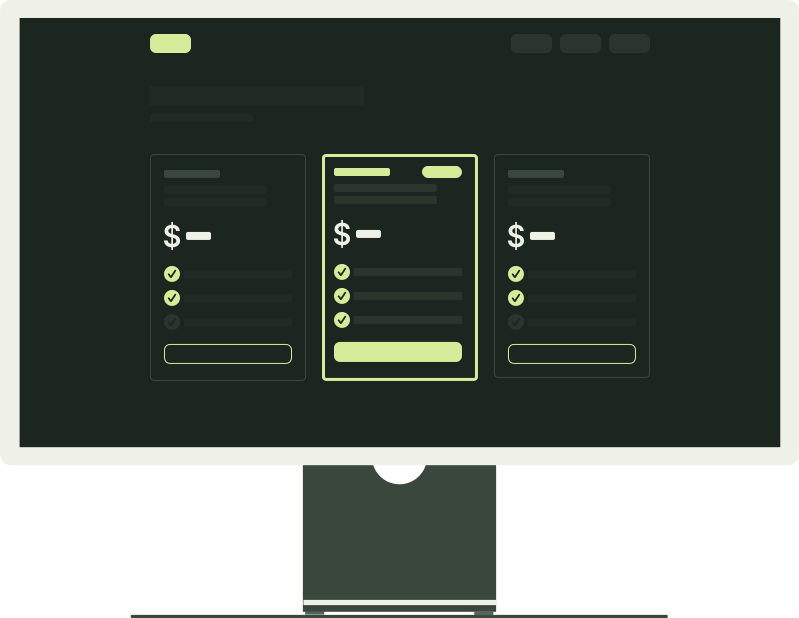
Count the web apps you want behind a lock. One or two fits Starter. Three to 6 fits Personal. More than that, or a few apps used hard across several devices, fits Pro. That is nearly the whole decision: the plans differ in exactly three numbers (apps, requests a day through PWA Lock, and transfers running at once), and the lock, the covers, the vault and the boundaries are identical on all of them. We make PWA Lock, so read this knowing where it comes from; we would rather you pick a plan you keep than the biggest one.
What differs between the plans?
| What you get | Starter | Personal | Pro |
|---|---|---|---|
| Locked apps | 2 | 6 | 15 |
| Proxied requests a day | 5,000 | 20,000 | 60,000 |
| Simultaneous transfers | 6 | 12 | 24 |
| Billed monthly | $5 a month | $6 a month | $7 a month |
| Billed yearly | $48 a year | $60 a year | $72 a year |
| Yearly, per month | $4 | $5 | $6 |
Each step up costs a little more a month for several times the room, so the price per app falls as you go up; Personal is the middle plan and the one our buttons default to. The limits are per account, not per app: every app you create shares one daily allowance and one pool of transfer slots, and so does every device you open them on. Prices are in US dollars before any tax. The pricing page shows the same numbers.
What is the same on every plan?
Nothing about the lock itself changes with the plan. On all three:
- Every cover is available: Calculator, 2048, Weather, Clock, Timer, Tic-tac-toe, Piano, or the plain lock. Cover apps: what a calculator on your home screen can hide describes each one.
- The vault works the same way on any app with a vault passcode, with the same caveats: browser storage on that one device, not encrypted by PWA Lock, not backed up.
- Relocking is identical: within a moment of the app being hidden and after 15 minutes, with an account login that lasts 7 days per device.
- Traffic in bytes is unlimited: PWA Lock never meters bytes, and a streamed download or video has no size cap on any plan. The per-transfer caps are shared too: uploads up to 25 MB, rewritten pages and scripts up to 8 MB, and a stream ends after five minutes without data or four hours in total.
- The 14-day free trial, with the plan's full limits from the first day. Your card is saved at checkout and first charged when the trial ends; cancel before then and you pay nothing.
- The boundaries. No plan hides the original website, encrypts anything, or makes a site work that resists being shown through another address. What PWA Lock protects, and what it does not applies to Pro exactly as to Starter.
So Pro is not a more secure tier and Starter is not a lesser lock; the difference is room, and only room.
What counts as a request, and does the daily limit matter?
A request is one thing fetched through PWA Lock on your behalf: a page, an image, a script, data the app asks for in the background, a file you download, or a live connection the app opens. Each counts once when it starts, whatever its size. The lock page and the covers do not count; PWA Lock serves those itself. The count runs over a rolling 24-hour window, not a calendar day, and the Plan & billing page shows where you stand.
Two things keep the count lower than a busy page might suggest: your browser may keep a site's images, fonts, styles and scripts for a while, so a page you saw recently does not fetch every decoration again, and a relocked app sends nothing through until you unlock it, so an app sitting on your home screen costs nothing.
The allowances sit well above a day of personal use, even on Starter; they exist so that the heaviest allowed use still costs less to run than the plan. If you do reach the daily ceiling, or the smaller per-minute ceiling that absorbs bursts, requests are answered with a Traffic limit reached message until the window passes. Nothing extra is charged.
Simultaneous transfers are the other number: how many fetches can be in flight at once across all your apps. A page loading images uses slots only briefly; a long download or a video holds one for as long as it runs and frees it the instant it ends, so this limit only shows itself when many large things are moving at once.
Three readers, three plans
One journal
One journaling web app behind a cover, perhaps a second app later. Starter: its 2 apps leave you a spare, and a journal is a light app you open, write in and close. It is hard to picture it getting near the daily allowance.
A journal, a chat app and a forum
Three apps already rule out Starter, and Personal's 6 leave room for the next ones you think of. The chat app is also the heaviest: while open, it keeps checking for new messages, each check a request, so the larger daily allowance matters more here than the app count. Set up separate locks for several iPhone web apps walks through the setup.
Many apps, several devices or heavy media
Pro fits two kinds of people. One has more than 6 web apps worth locking; Pro holds 15. The other uses fewer apps hard: the same apps open on a phone, a tablet and a laptop, all drawing on the one allowance; apps that stream video; or several large downloads into the vault at once, each holding a transfer slot until it finishes. Pro's 24 slots and 60,000 requests a day are the room for that. It does not raise the per-file caps or change where vault files live, which Where do iPhone web downloads go? explains.
Monthly or yearly?
Yearly billing takes a dollar off every month. Personal is $60 a year, which works out to $5 a month instead of $6; Starter and Pro follow the same rule, so the saving is largest on Starter. The trial is the same on both intervals, so yearly does not mean paying sooner: the card is saved at checkout and first charged when the trial ends, and cancelling before then costs nothing on either.
Monthly makes sense while you are still finding out whether PWA Lock fits your routine, when you only need a lock for a few months, or when you may switch plans soon: how an already-paid period is adjusted follows Creem's policy, and month to month there is little to adjust. Yearly makes sense once the locked apps are part of your day: two months free for the same thing.
How the trial and billing work
- Create an account with an email address and a password of at least 12 characters. You land on Plan & billing; nothing can be created or opened until a plan is active. Set up PWA Lock on your iPhone: the complete guide covers what comes next.
- Pick a plan and an interval. PWA Lock hands you to a checkout hosted by Creem, our merchant of record, which verifies and saves your card and adds any tax that applies. PWA Lock sends Creem your account identifier and email address and never sees your card number; Creem's privacy policy, linked below, covers what it holds.
- Back on the billing page, your plan appears as soon as Creem confirms it, usually within a minute, with the date the trial ends; you have the plan's full limits from that moment.
- When the 14 days end, Creem charges the card for the first month or year and renews at the end of each period after that. Cancel before the trial ends and nothing is charged.
- Manage subscription on the billing page opens Creem's customer portal for changing the card, downloading invoices and cancelling. A cancelled plan keeps working until the end of the trial or paid period; the billing page shows the date.
To switch, choose another plan on the billing page: a new checkout for that plan, billed at its price without a second trial; your plan changes as soon as Creem confirms it. If the new plan allows fewer apps than you already have, the existing ones keep opening, but Add an app stays disabled until you are under the new count; since apps cannot be deleted from the dashboard yet, that means asking contact@pwalock.com to remove one. Refunds and adjustments for a period already paid follow Creem's policy; if you are unsure what a switch will cost, write to us before your next renewal.
When a plan ends, whether you cancelled or a payment failed, nothing is deleted: your apps, covers and passwords stay, each locked address shows a page pointing at the plans instead of the lock, and picking a plan again opens them right away.
Frequently asked questions
Can I change plans later?
Yes. On the Plan & billing page, choose another plan: it is a new Creem checkout for that plan, and your plan changes as soon as Creem confirms it. A switch does not start a second trial; it is billed at the new plan's price. If you move to a plan with fewer apps than you already have, the existing apps keep opening, but you cannot add another until you are under the new limit.
What happens to my apps if I cancel?
Your plan keeps working until the end of the trial or paid period. After that your apps, covers and passwords are kept, but each locked address shows a page pointing at the plans instead of the lock, and nothing new can be created. Pick a plan again and everything opens as before. Files in an app's vault live in your browser, not on our servers, so cancelling does not touch them; clearing website data does.
Can I use PWA Lock without paying?
Only during the 14-day trial that every plan starts with; no plan stays free after it. Your card is saved at checkout and first charged when the trial ends, and cancelling before then costs nothing. An account without an active plan keeps its apps but cannot open or create any.
Are the limits per app or per account?
Per account. All the apps you create share one daily request allowance and one pool of simultaneous transfers, and every device you open them on draws on the same allowance. That is why heavy use across several devices is a reason to move up a plan even with few apps.
Does Pro allow bigger files?
No. The per-transfer caps are the same on every plan: uploads up to 25 MB, rewritten pages and scripts up to 8 MB, and streamed downloads and video with no size cap. Pro gives more apps, more requests a day and more simultaneous transfers, which is what helps when several large downloads run at once.
What happens if I reach the daily request limit?
Requests through your locked apps are answered with a Traffic limit reached message until the 24-hour window moves on. Nothing extra is charged and your apps and settings are untouched. The Plan & billing page shows requests used in the current window; if you see the message more than once, that is the sign to move up a plan.
Sources
TRY IT WITH YOUR OWN APP
Start on the plan your app count points to.
The first 14 days on any plan are free, with the plan's full limits. Your card is saved at checkout and first charged when the trial ends; cancel before then and you pay nothing, and you can switch plans from the billing page whenever your count changes.
14 days free on every plan. Then Personal is $5 a month billed yearly ($60 a year), or $6 a month, for 6 locked apps. Your card is saved at checkout and first charged when the trial ends; cancel before then and you pay nothing.
KEEP READING
Related articles
Guides · 7 min read
Set up separate locks for several iPhone web apps
How to give a journal, a chat app and a forum each its own cover, lock password and icon in PWA Lock, which plan fits how many apps, and what can go wrong.
Guides · 7 min read
Set up PWA Lock on your iPhone: the complete guide
Create a PWA Lock account, lock your first web app behind a cover and password, add it to your iPhone home screen, and know what to expect when you open it.
Privacy · 7 min read
What PWA Lock protects, and what it does not
The trust page for PWA Lock: which situations the lock covers, what passes through our servers, what stays on your phone, and how to check it before you pay.